How to use ROSA3D profiles?
To make it easier to use our filaments, material profiles have been developed. They can be found in articles about a specific filament and in the product description. The profile name includes the names of printer models that are compatible with the material.
By clicking the link, a ZIP file containing a 3MF profile will be downloaded.
The ZIP file should be extracted, and the 3MF file can be placed anywhere on your computer. Open the 3MF file using PrusaSlicer or Bambu Studio.
PrusaSlicer
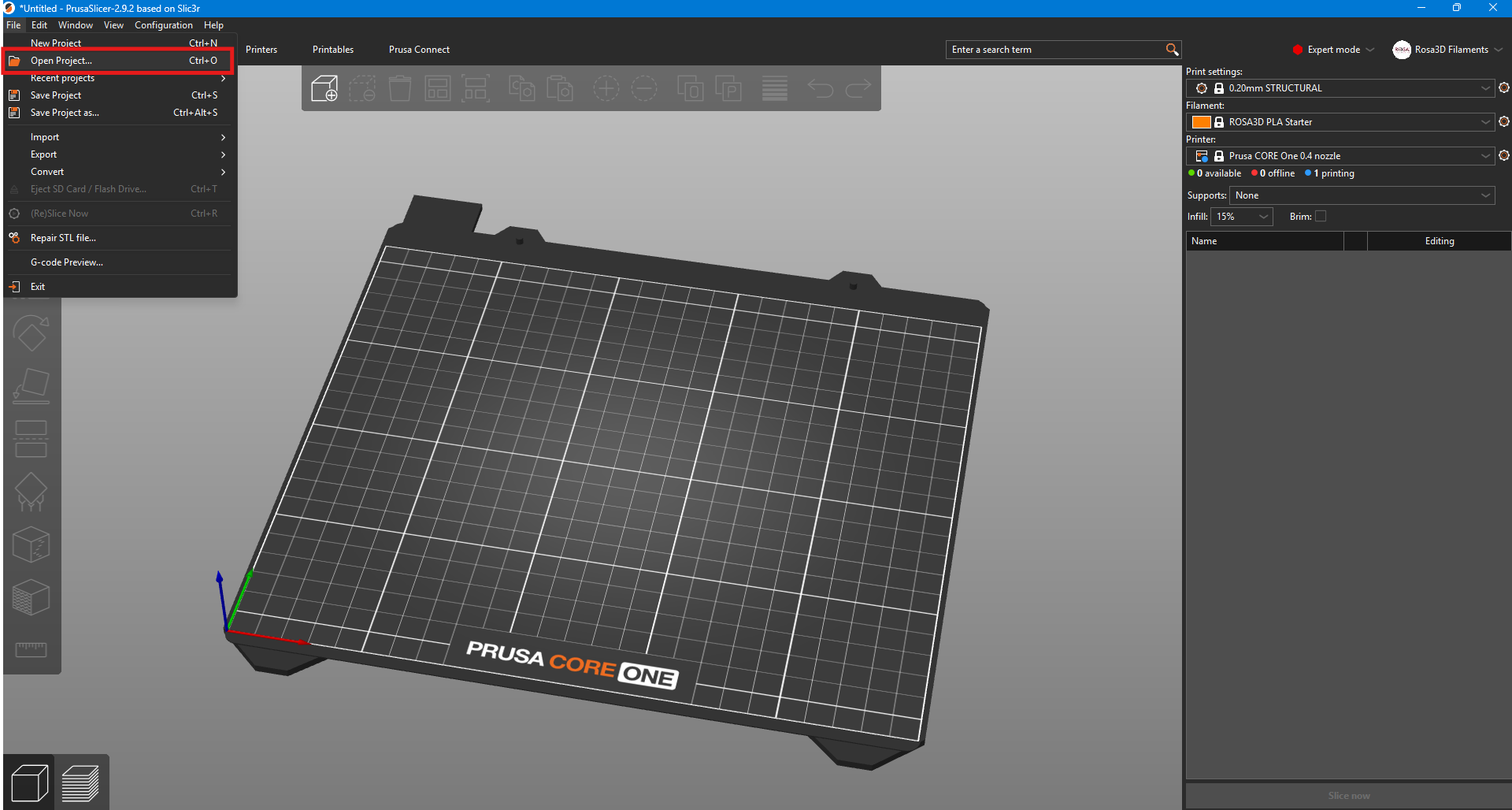
After launching PrusaSlicer, go to the Menu select File , and then click on Open Project… Open Project from the list.
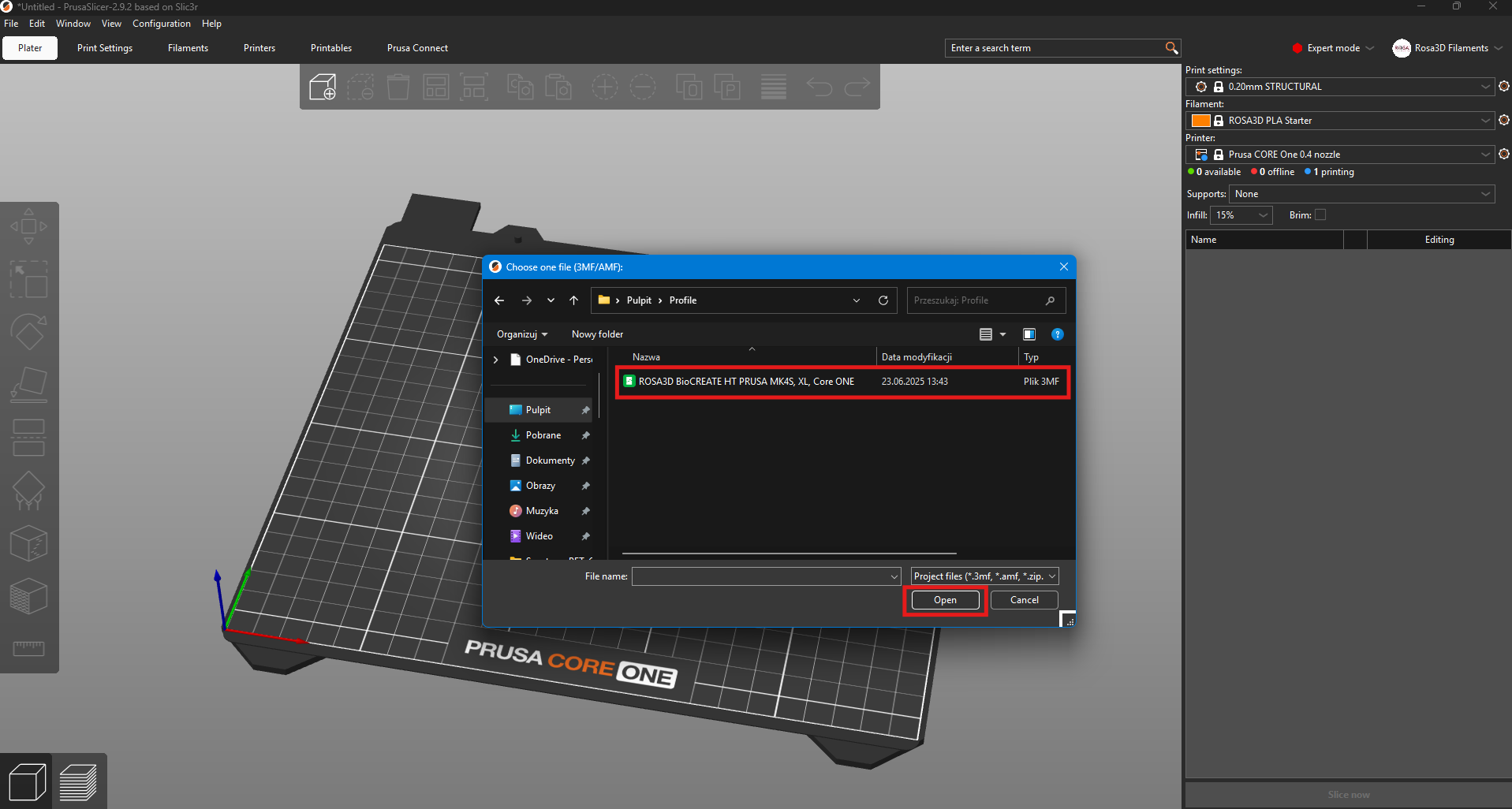
Next, locate the downloaded 3MF file containing the profile and open it.
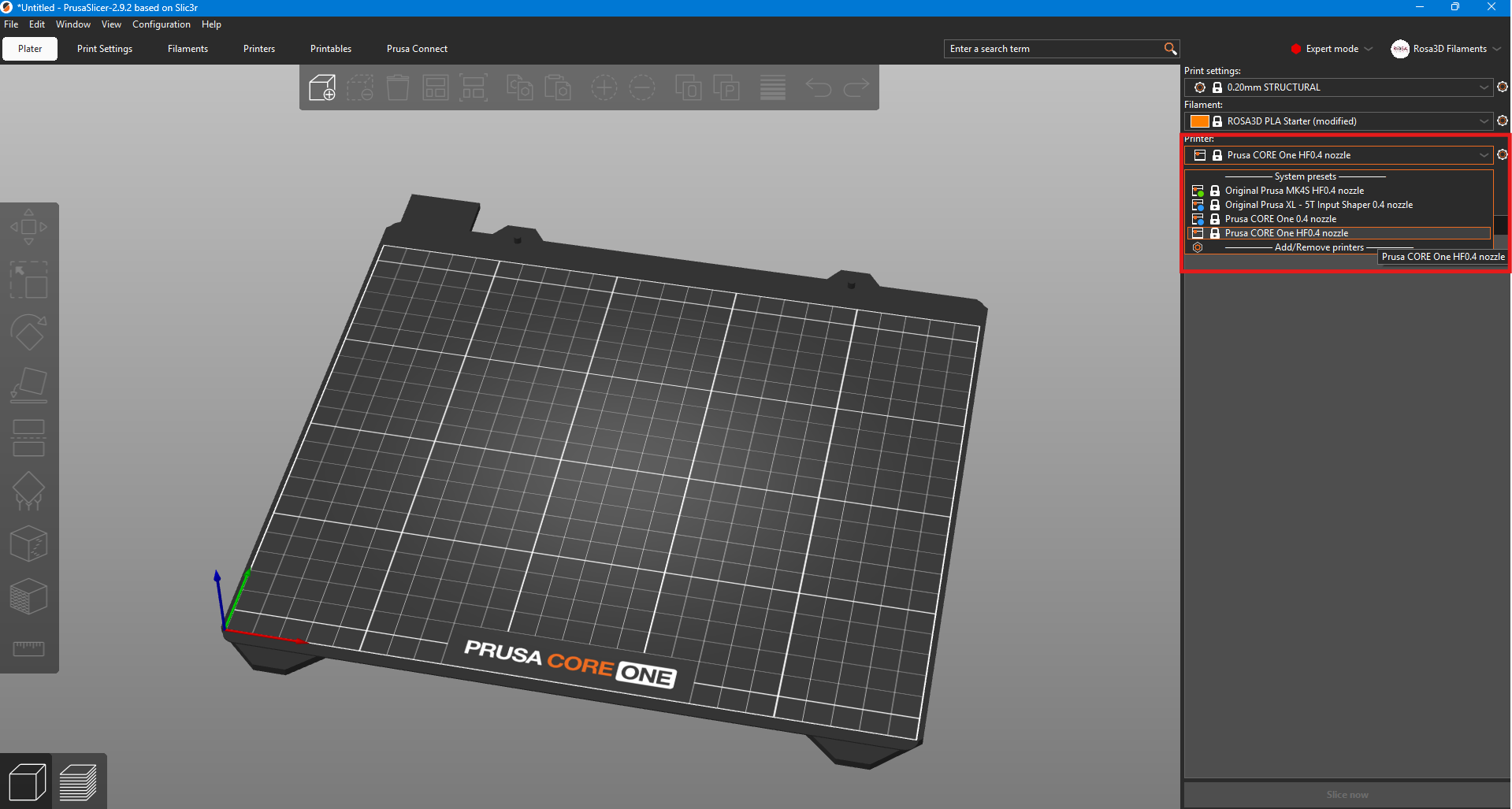
If the filament is compatible with multiple Prusa 3D printers, it is possible to switch to a different device. At this stage, you can load a 3D model and start printing objects.
The loaded profile is not permanently saved in PrusaSlicer. To save the settings for a specific material, follow the instructions below.
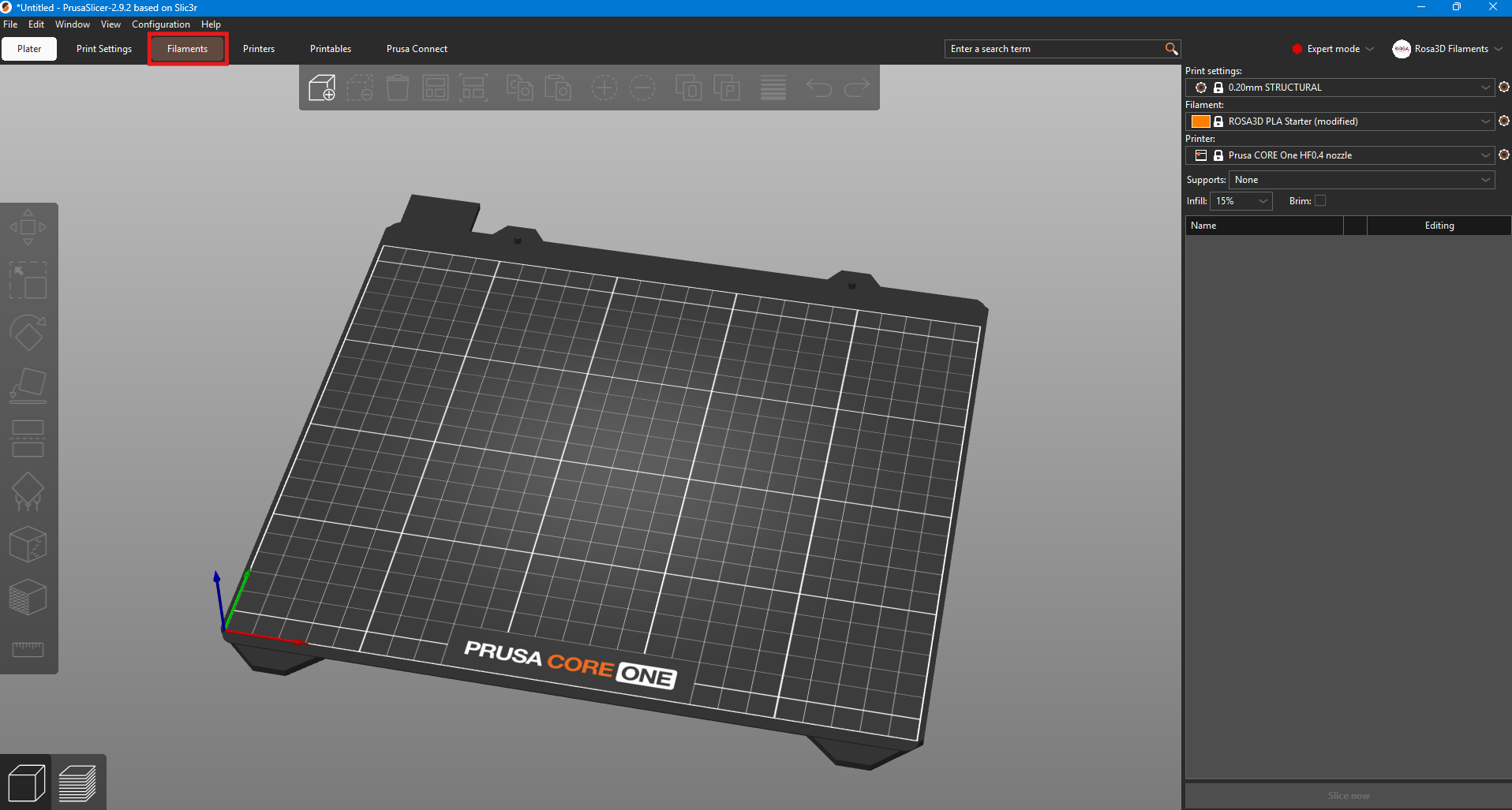
In the Menu select Filaments.
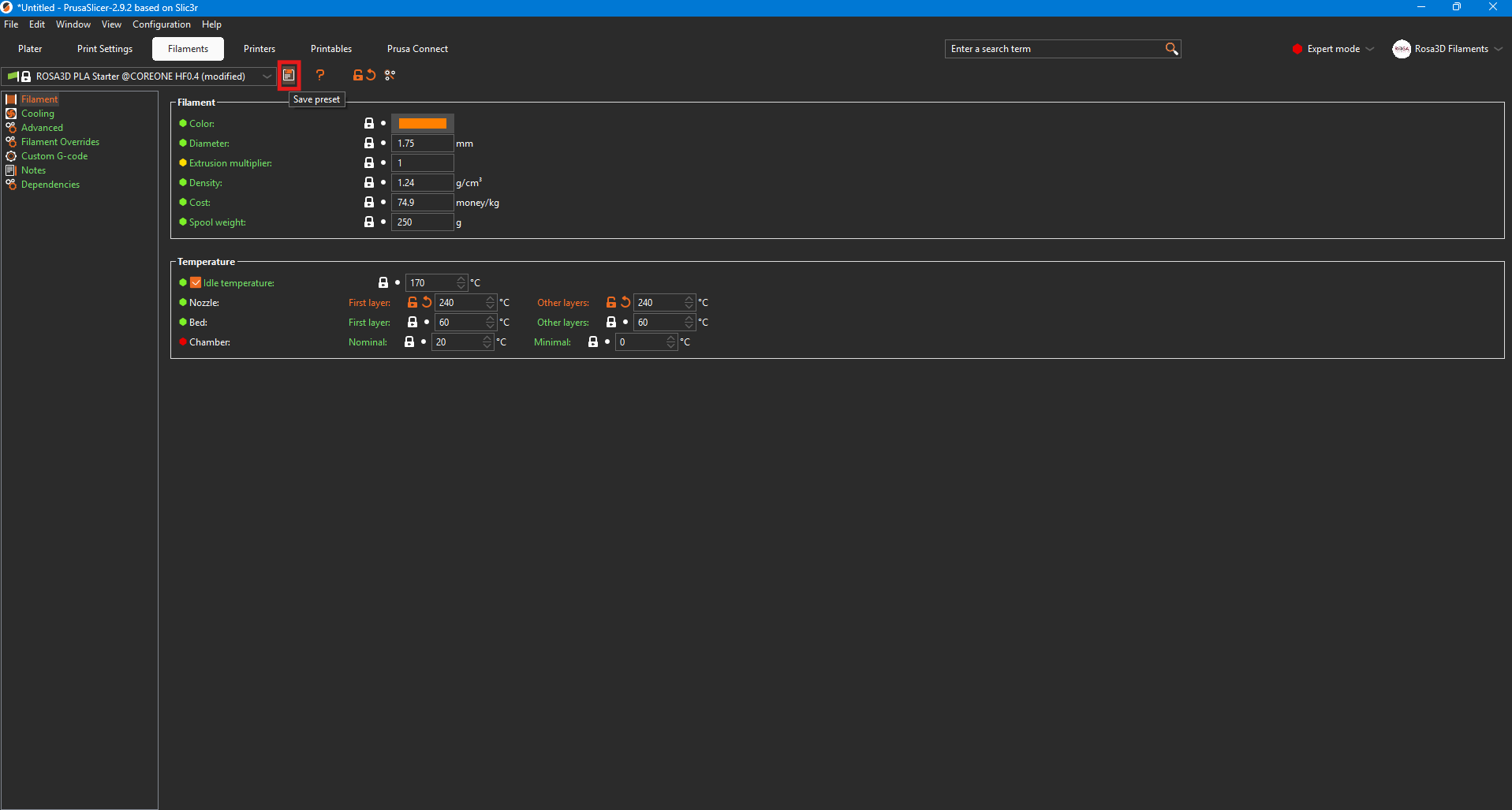
To save the settings, click on the disk icon.
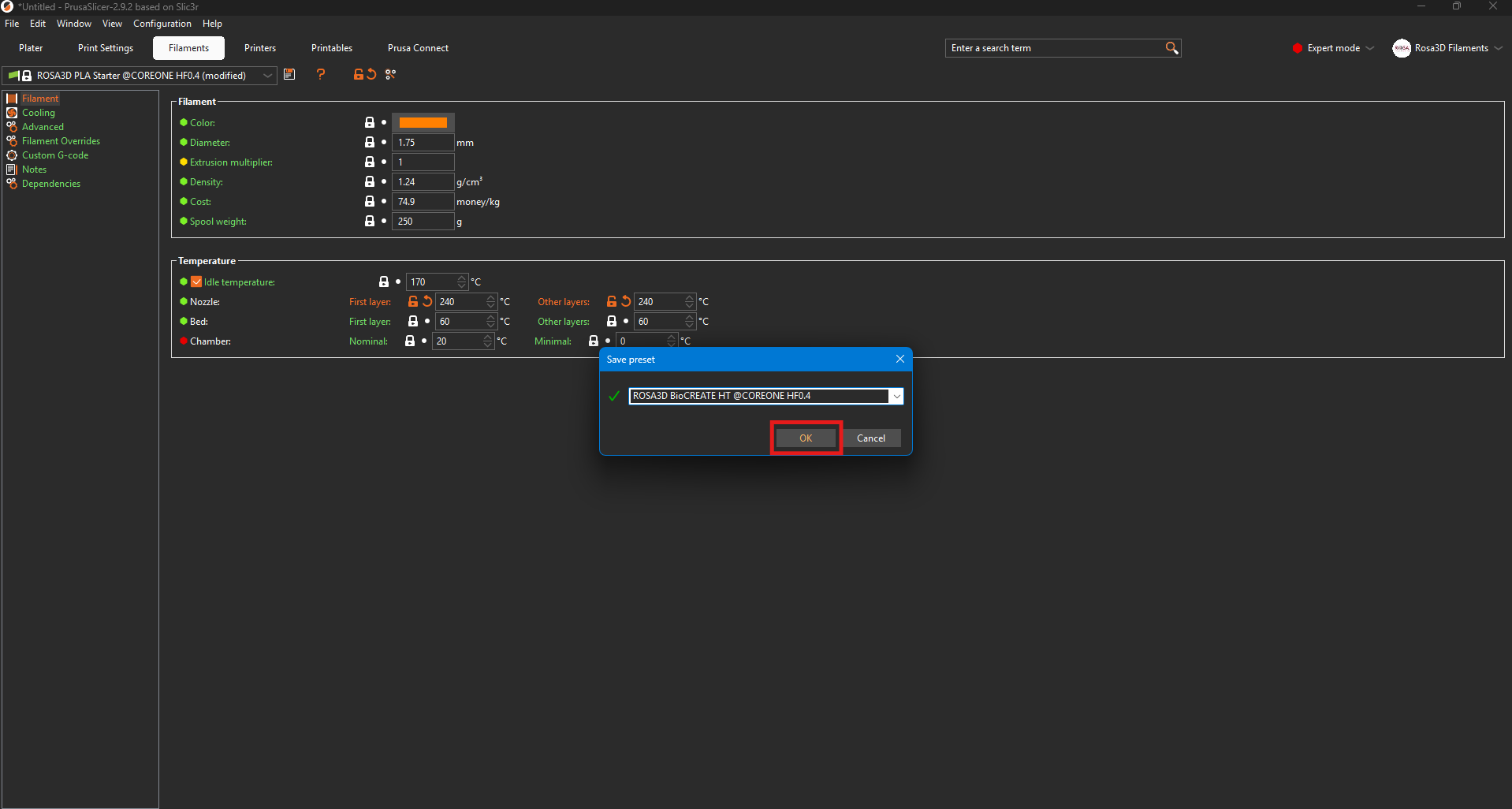
You can then rename the material as desired. After clicking OK, the profile will be saved.
A separate profile must be saved for each compatible printer.
Bambu Studio
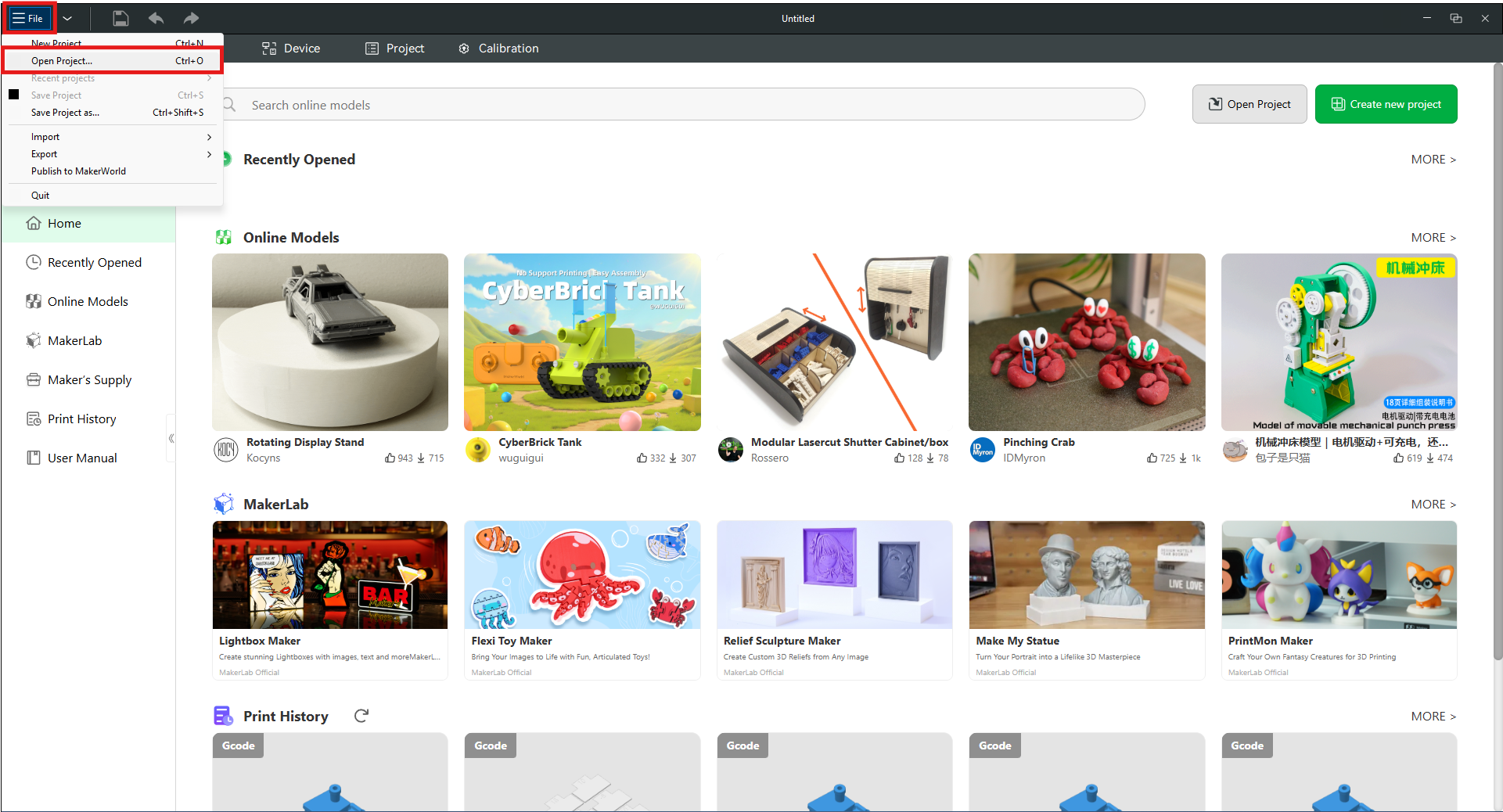
After launching Bambu Studio, go to the Menu, select File, and then click on Open Project… from the list.
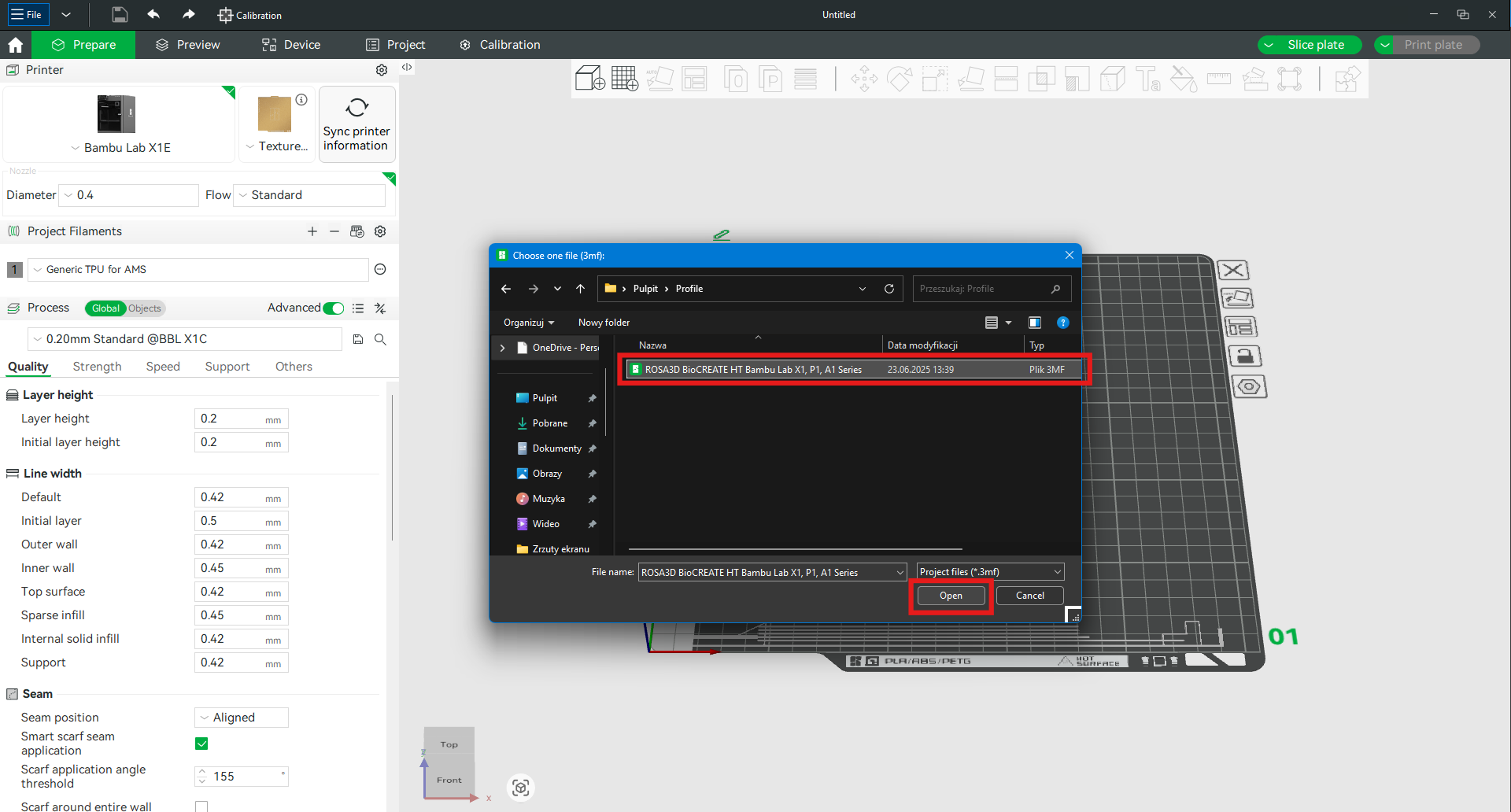
Next, locate the downloaded 3MF file containing the profile and open it.
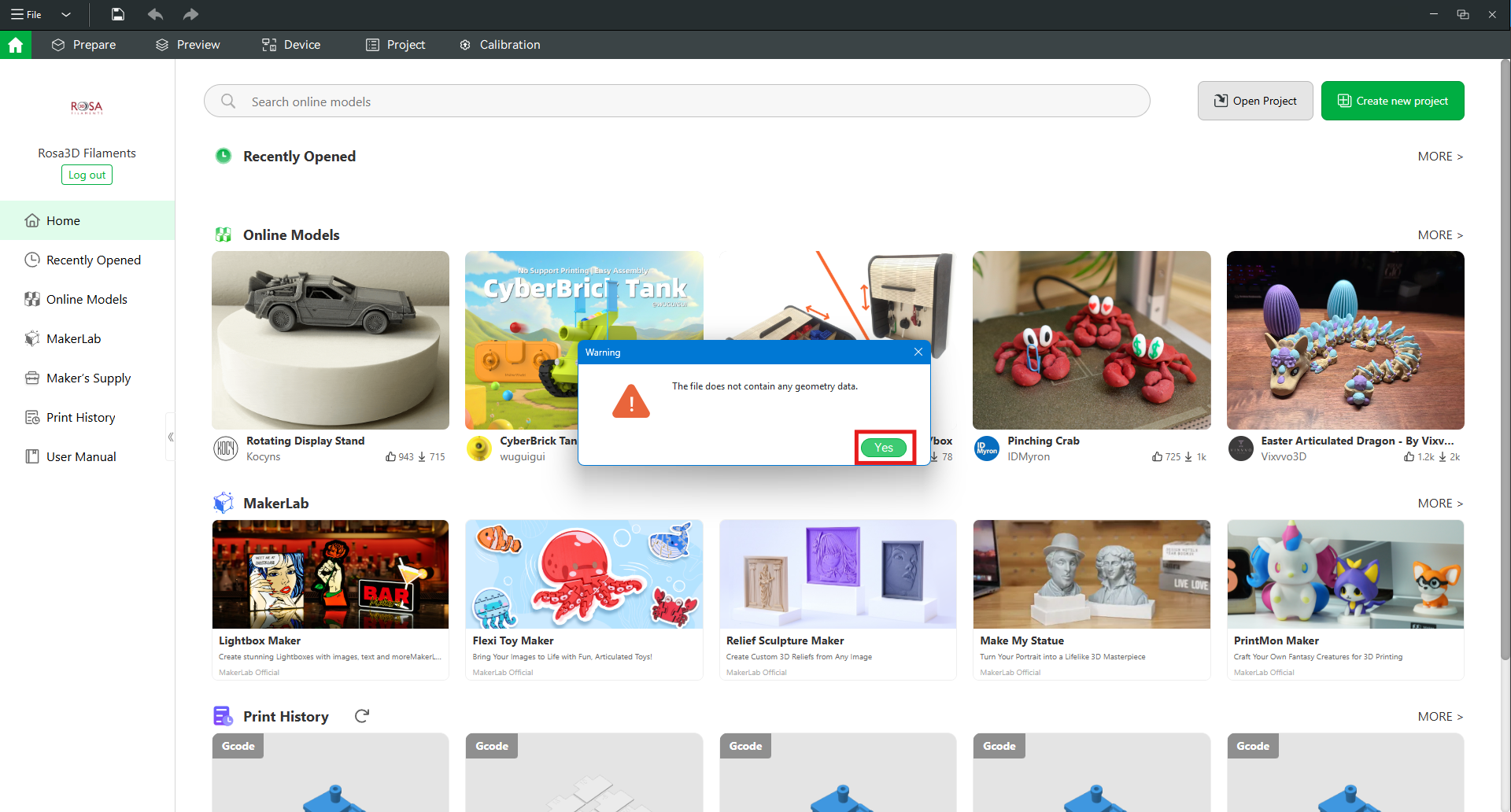
3MF files usually contain 3D models and print settings. In the case of our files, only print settings are included, so you can ignore the warning by clicking Yes.
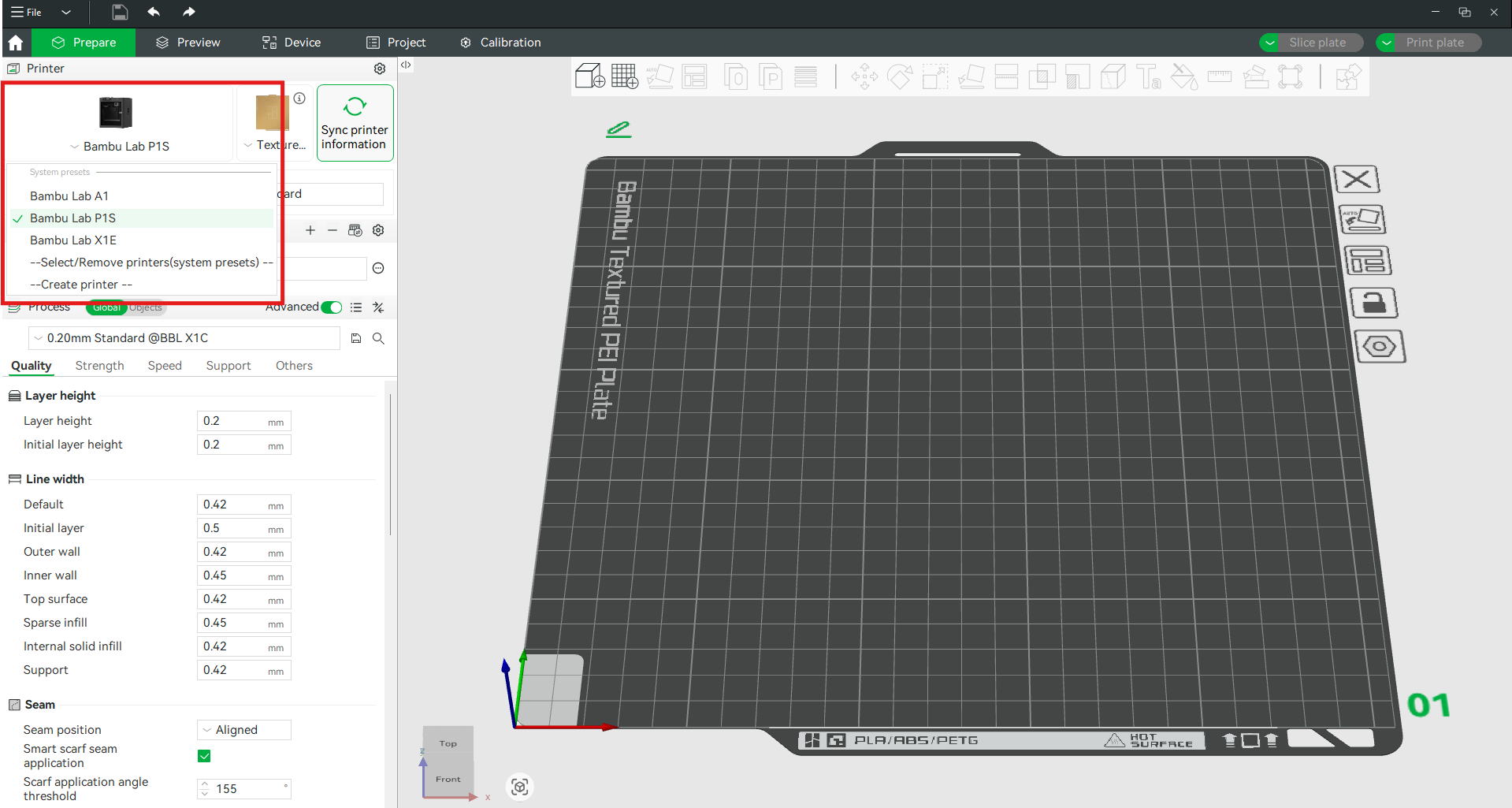
JIf the filament is compatible with multiple Bambu Lab 3D printers, it is possible to switch to a different device. At this stage, you can load a 3D model and start printing objects.
The loaded profile is not permanently saved in Bambu Studio. To save the settings for a specific material, follow the instructions below.
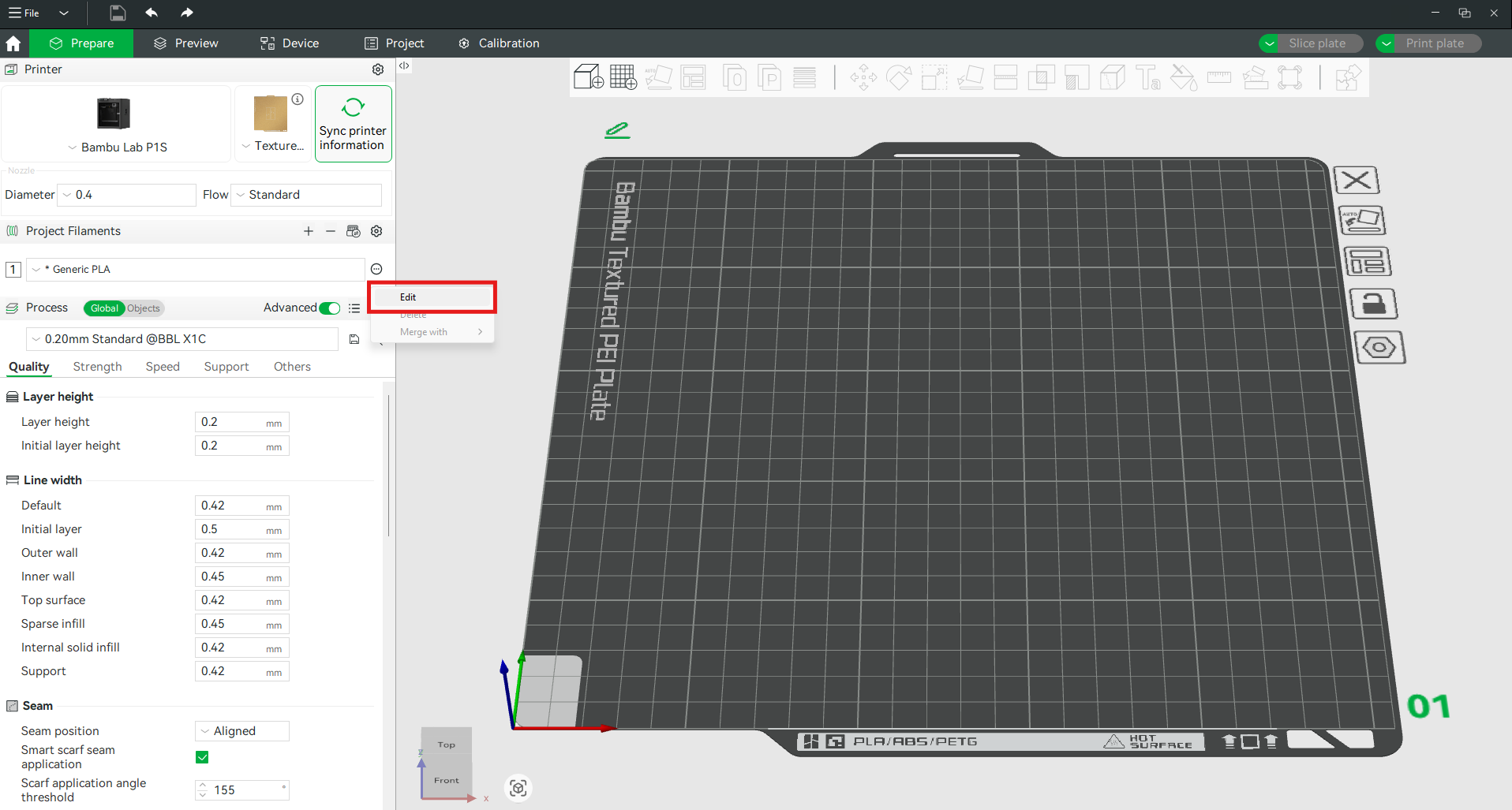
Click the icon marked with a red rectangle and select Edit.
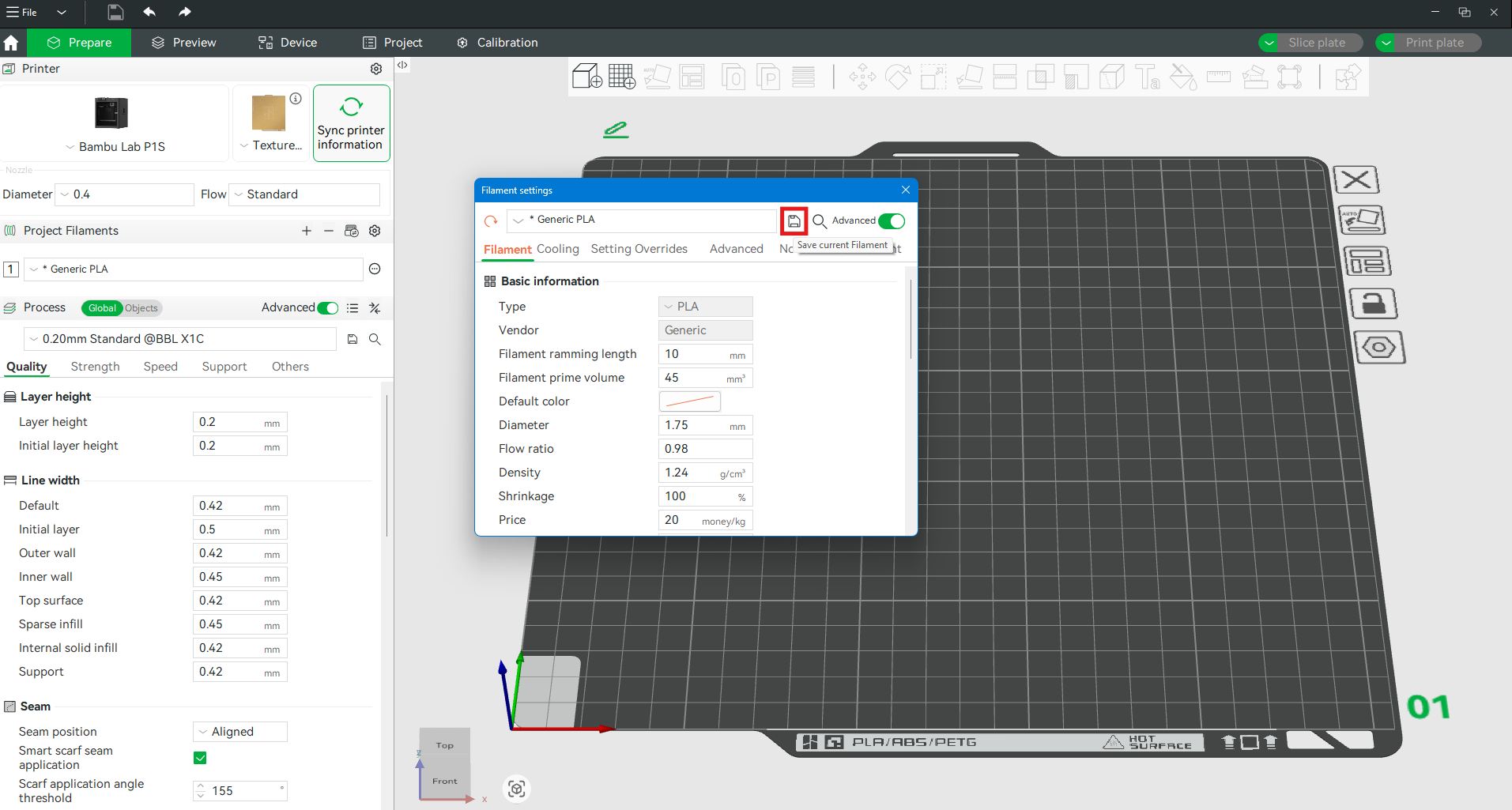
To save the settings, click on the disk icon.
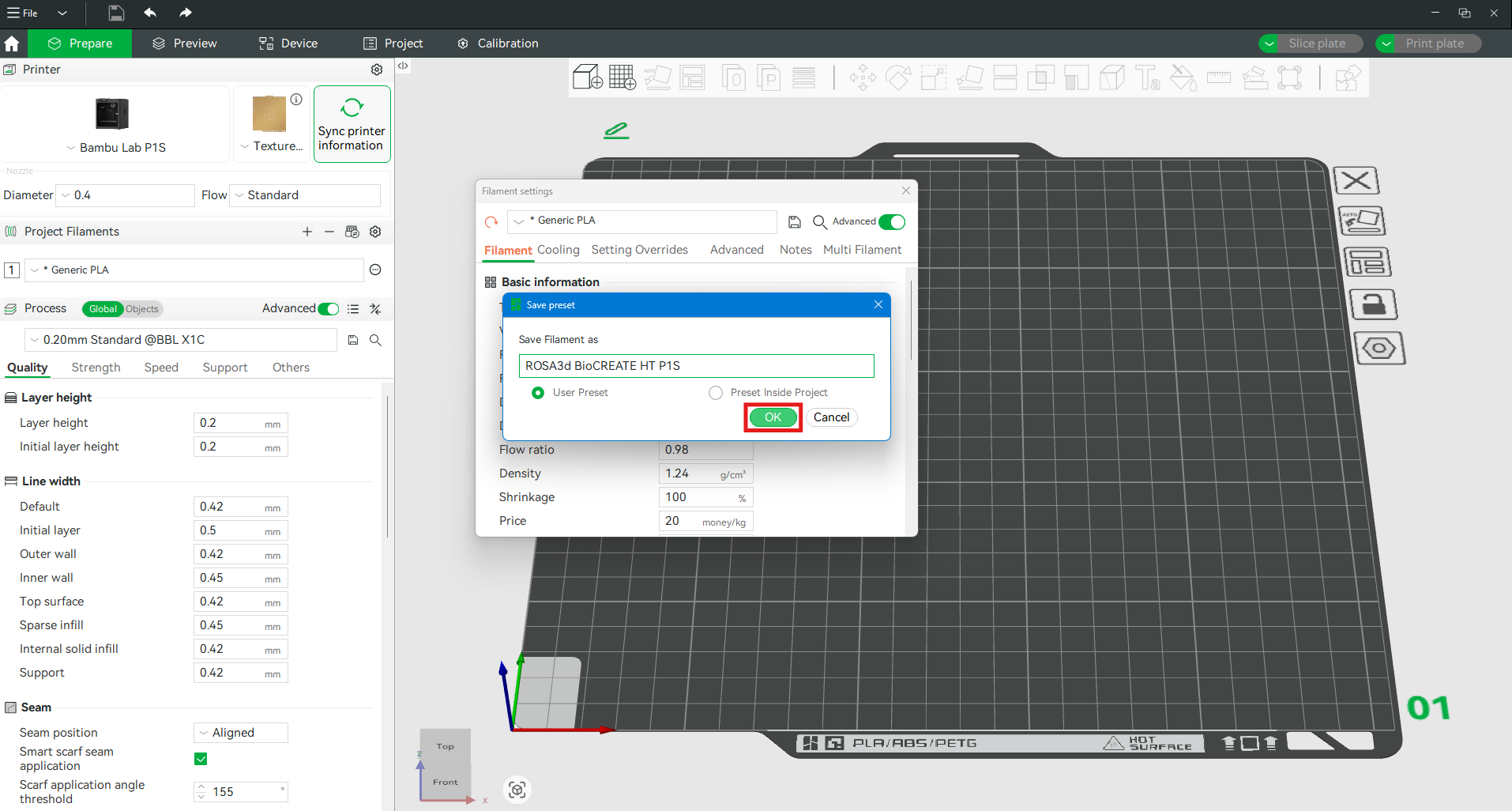
You can then rename the material as desired. After clicking OK, the profile will be saved.
A separate profile must be saved for each compatible printer.

ROSA PLAST SP. z o.o.
ul. Hipolitowska 102B
05-074 Hipolitów, POLAND

Email
eshop@rosa3d.pl
Our team is at your disposal on working days during the hours:
od 7:00 do 15:00
Follow us